The 15-Minute 'Password Reset' Tax Every Math Period
You have 45 minutes of instructional math time. You tell the class to open a new educational math website.
Instantly, the hands shoot up: *"I forgot my password!"*, *"My screen says blocked by administrator!"*, *"It says my email isn't verified!"*. By the time all 25 students are logged in, a third of your class period has evaporated into thin air.
The Problem: Every additional software tool with its own login creates tech friction, compliance paperwork (COPPA, FERPA, district data privacy agreements), and classroom downtime.
The Solution: Google Sheets is already installed, whitelisted, and authenticated on every school Chromebook. By running math activities inside native Google Sheets, you eliminate 100% of student login friction. Students click one link in Google Classroom and start doing math immediately.
A 50% revealed superhero scratch-style picture: students jump straight into solving math problems without typing usernames, passwords, or class codes.
Why Native Google Sheets Beats Third-Party Apps
- Zero Student Accounts: Students never create a username, password, or profile.
- Works Offline: If school Wi-Fi hiccups or slows down, Google Sheets buffers locally and syncs automatically when the connection restores.
- District Compliance Approved: Because the file lives inside your school's Google Workspace domain, no third-party vendor ever collects student personally identifiable information (PII).
- Universal Device Support: Runs identically on $150 Chromebooks, MacBooks, Windows PCs, and iPads.
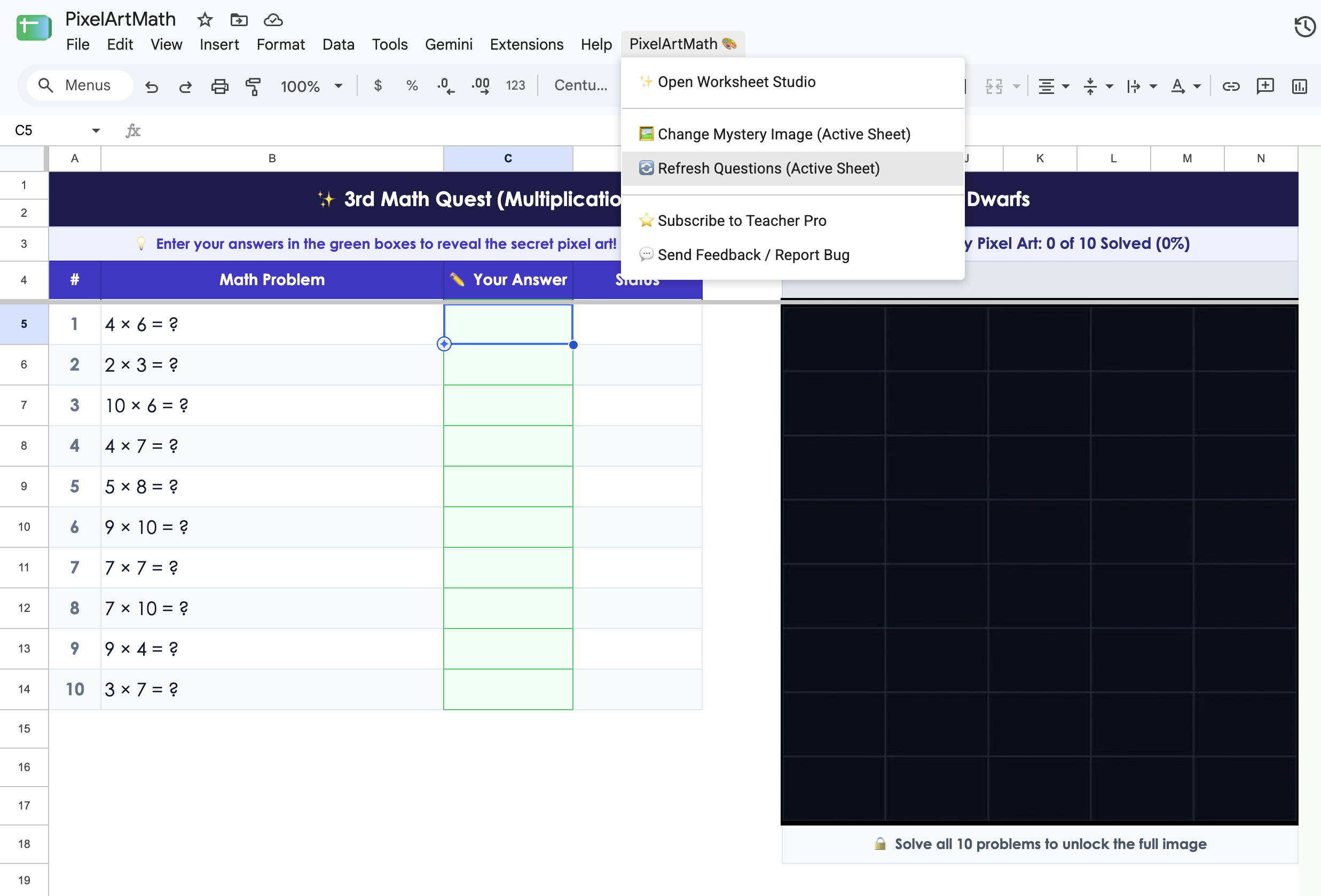
Sheets open instantly on Chromebooks with zero loading delays or third-party sign-ins.
Zero Logins, Zero App Installs for Your Students
Generate self-checking Google Sheets worksheets that run natively on every student Chromebook without accounts or setup.
3 Chromebook Shortcuts to Teach Your Math Class
- Zooming In/Out: If students complain the math sheet is too big or small, teach them
Ctrl++(zoom in) andCtrl+-(zoom out). Setting zoom to 90% often gives the perfect view of both questions and the mystery picture. - Moving Between Answer Cells: Teach kids to press Enter (down) or Tab (right) instead of reaching for the touchpad after every calculation.
- Full Screen: Press the F4 (fullscreen) key on the top row of the Chromebook keyboard to remove browser tabs and keep students focused on the worksheet.

Zero logins. Zero student accounts. Zero IT headaches.
PixelArtMath generates native Google Sheets worksheets your students can open instantly on any Chromebook.
Install Free Chrome Extension →