Supercharging Google Sheets for the Math Classroom
Google Sheets is easily one of the most versatile tools in any educator's digital toolkit. But out of the box, it is designed for business data, financial modeling, and inventory tracking—not K–12 math instruction.
The Problem: Creating student-friendly math materials in standard Google Sheets requires writing complex scripts or wrestling with formatting quirks like fraction date conversions and visible formula cheat codes.
The Solution: The Google Workspace Marketplace has several battle-tested add-ons designed by educators to turn spreadsheets into powerful teaching engines.
Here is our honest, balanced review of the five best Google Sheets add-ons for math teachers today.
A 50% revealed Pinocchio frosted-glass picture: Google Sheets add-ons transform standard rows and columns into interactive learning tools.
5 Essential Google Sheets Tools for Math Educators
1. PixelArtMath - Best For: Gamified skill practice & self-checking mystery pictures. - Why It's Great: Allows teachers to select a Common Core standard (Grades K–8) and generate a fully self-checking mystery picture worksheet in 30 seconds. Includes 116 art themes, 11 reveal animations, and tamper-proof formula protection. - Cost: Free tier includes 5 creations/month; Teacher Pro is $29/year for unlimited.
2. Flubaroo - Best For: Auto-grading Google Forms assessments in Sheets. - Why It's Great: Flubaroo is the grandfather of edtech add-ons. It grades Google Forms quiz submissions, calculates class average scores, flags questions that more than 40% of students missed, and emails scores to students. - Cost: 100% Free.
3. EquatIO (by Texthelp) - Best For: Typing mathematical formulas and LaTeX. - Why It's Great: Typing roots, exponents, and complex fractions into spreadsheets is a nightmare. EquatIO gives teachers a visual equation editor, handwriting-to-math conversion, and graphing capabilities directly inside Google Docs and Sheets. - Cost: Free tier available; full teacher premium version is free upon educator verification.
4. Autocrat - Best For: Generating customized math awards and progress reports. - Why It's Great: Autocrat takes data from your spreadsheet (like quiz scores or fact fluency levels) and merges it into personalized Google Docs or PDF certificates to email directly to parents. - Cost: Free.
5. Form Mule - Best For: Automated email workflows for student check-ins. - Why It's Great: If you run a weekly math reflection form, Form Mule can send automated, personalized email responses to students based on specific score thresholds.
Transform Google Sheets into a Math Mystery Studio
Add the free PixelArtMath add-on to your Google Sheets menu and create self-checking worksheets in under 30 seconds.
Quick Comparison Guide
| Goal | Best Add-On | Setup Effort | |---|---|---| | Gamified daily practice & mystery reveals | PixelArtMath | 30 seconds | | Grading multiple-choice quizzes | Flubaroo | 2 minutes | | Writing complex equations & LaTeX | EquatIO | 1 minute | | Sending personalized reports to parents | Autocrat | 5 minutes | | Automated emails based on form scores | Form Mule | 5 minutes |
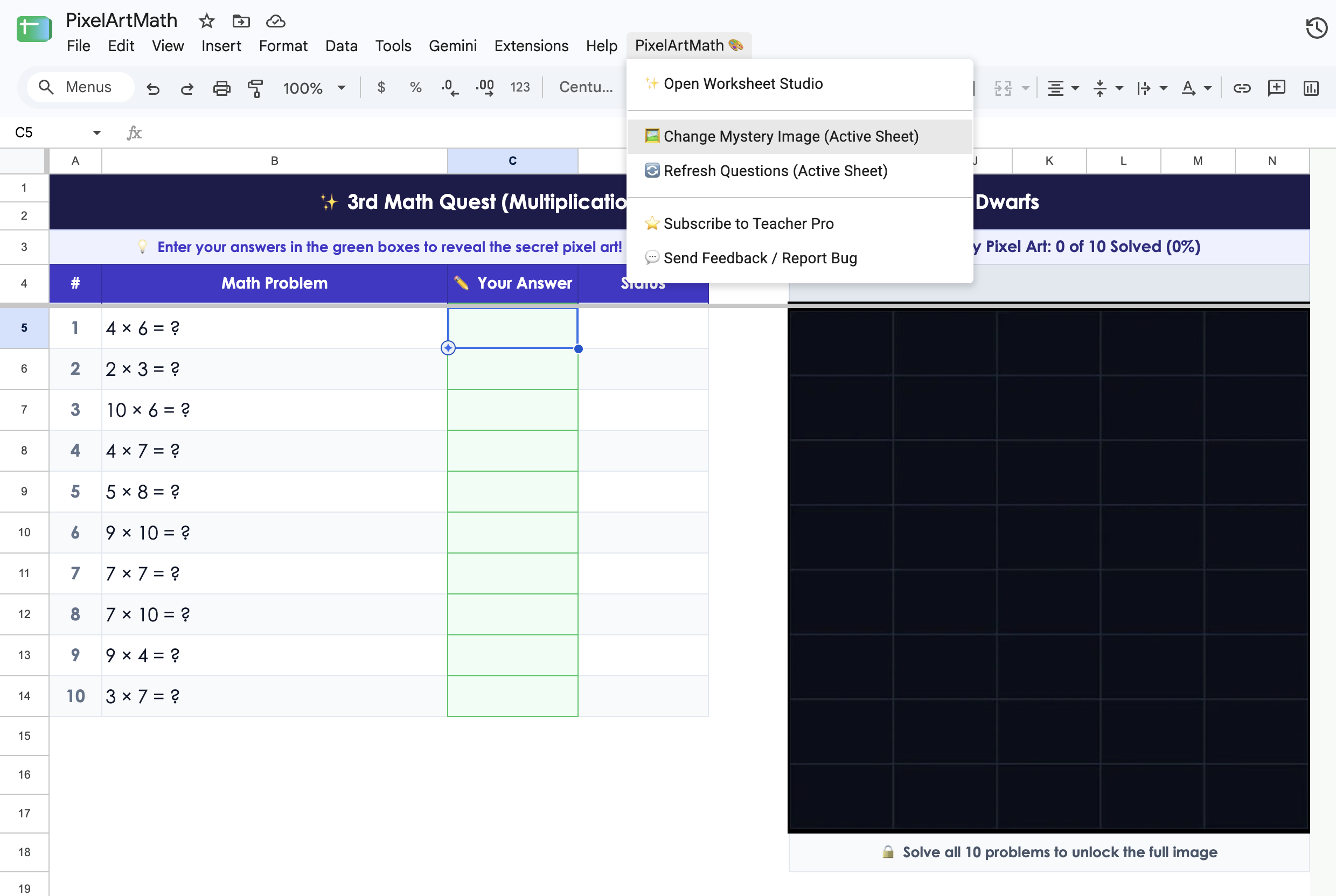
Access your installed add-ons directly from the Extensions menu inside any Google Sheet.

Upgrade your math teaching workflow.
Discover how PixelArtMath saves hours of prep time alongside other top Google Workspace classroom tools.
Install Free Chrome Extension →