The Danger of Delayed Feedback in Math Class
Imagine a student practicing two-digit subtraction with regrouping. On a traditional paper worksheet, they misunderstand the borrowing step on question 1. Because nobody stops them, they make that identical error on all 20 problems.
Three days later, you hand the paper back with red ink across every line. The student feels defeated, and worse, the bad habit is now deeply ingrained in their muscle memory.
The Problem: Teachers simply cannot stand behind 25 desks simultaneously to give real-time feedback on every problem. But creating custom self-grading spreadsheets with =IF() statements and protected ranges for every math unit eats up hours of prep time.
The Solution: Self-checking Google Sheets give kids instant visual verification on every calculation. If an answer is correct, the cell confirms it immediately and unlocks part of a mystery picture. If it's wrong, the student is gently prompted to review their steps on the spot.
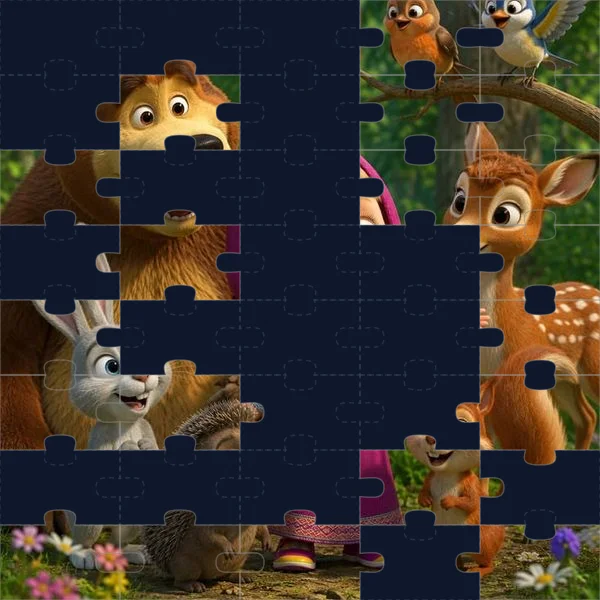
A 50% revealed frosted-glass mystery picture: visual feedback gives students an immediate, satisfying sense of progress.
How to Create a Simple Self-Checking Cell Manually
If you want to build a basic self-checking sheet without any tools, you can use Google Sheets formulas directly:
``
=IF(ISBLANK(C5), "", IF(C5=48, "✅ Correct!", "❌ Try again"))
``
- Place your question in cell
B5(e.g.,6 × 8 = ?). - Leave cell
C5empty for the student's input. - In cell
D5, paste the formula above. - Add conditional formatting to cell
D5: if text containsCorrect, color the background light green. If it containsTry again, color it light red.
This works well for quick checks, but students quickly learn they can look at the formula bar in cell D5 to read the number 48 without doing any math.

Give Your Students Instant Math Feedback
Generate self-checking Google Sheets with live answer validation and mystery reveals in seconds—no grading required.
Why Pixel Art Reveals Beat Simple Checkmarks
Text messages like "Correct" work for high schoolers, but elementary and middle school students respond much better to visual progression.
When answers reveal a cartoon character, anime hero, or holiday picture, students experience a small burst of curiosity: *Who is hiding behind that frost?* They willingly recalculate problems that turned red just to see the next section of the image unlock.
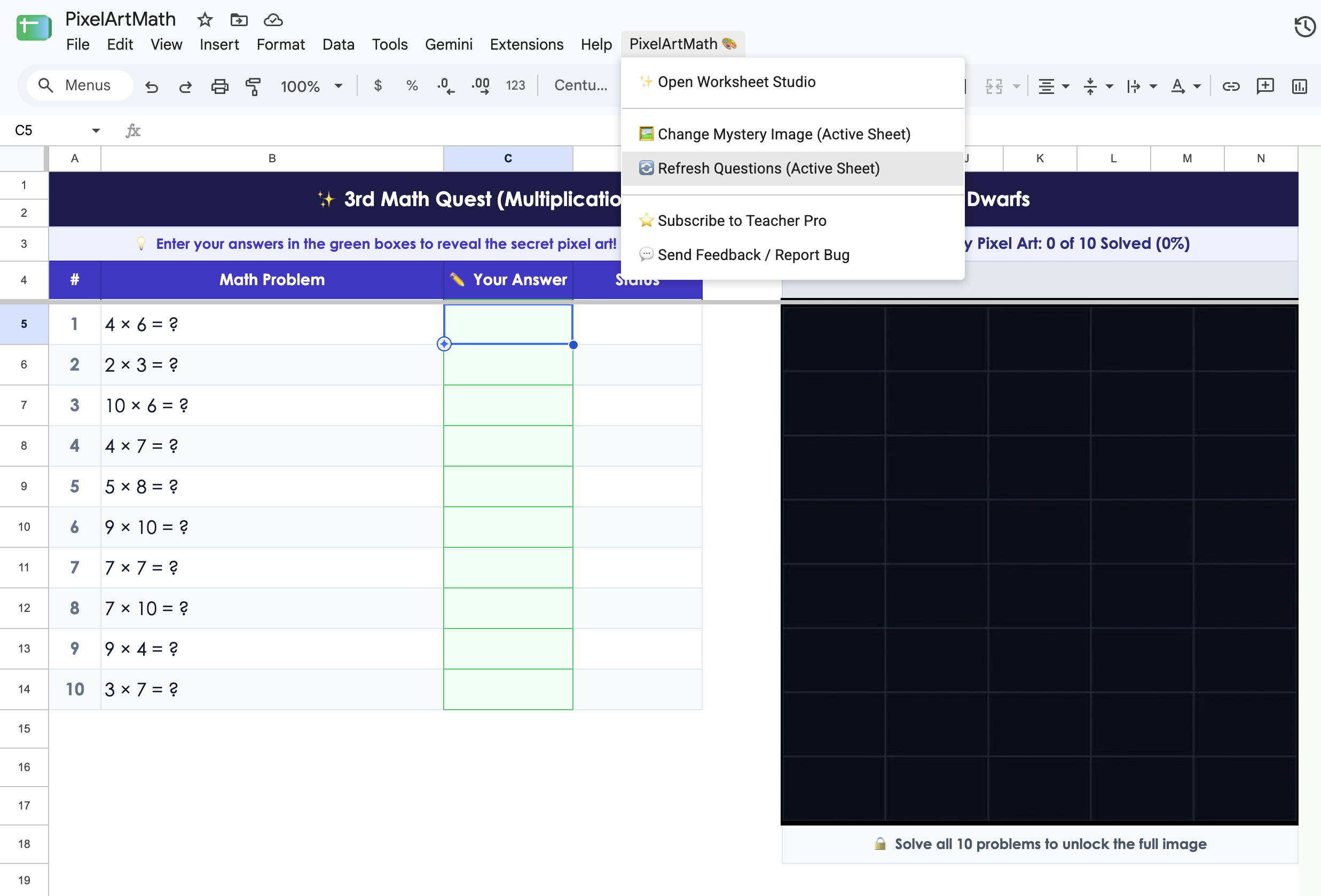
PixelArtMath turns correct answers into colorful reveals with built-in progress tracking (0 of 10 Solved).
When to DIY vs. When to Use an Add-On
- Build it manually when you only need a quick 3-question exit ticket or want to teach your students basic spreadsheet formula logic.
- Use an add-on like PixelArtMath when you need 15–20 practice problems, Common Core alignment, tamper-proof answers, or engaging visuals for Friday stations and sub plans.

Instant self-checking feedback. Zero grading after 3 PM.
Every correct answer melts away frosted tiles to reveal the mystery panda. Free to install, runs right inside Google Sheets.
Install Free Chrome Extension →